Showing posts with label 3D. Show all posts
Sunday, October 15, 2017
Sunday, October 8, 2017
Sunday, October 1, 2017
Thursday, September 28, 2017
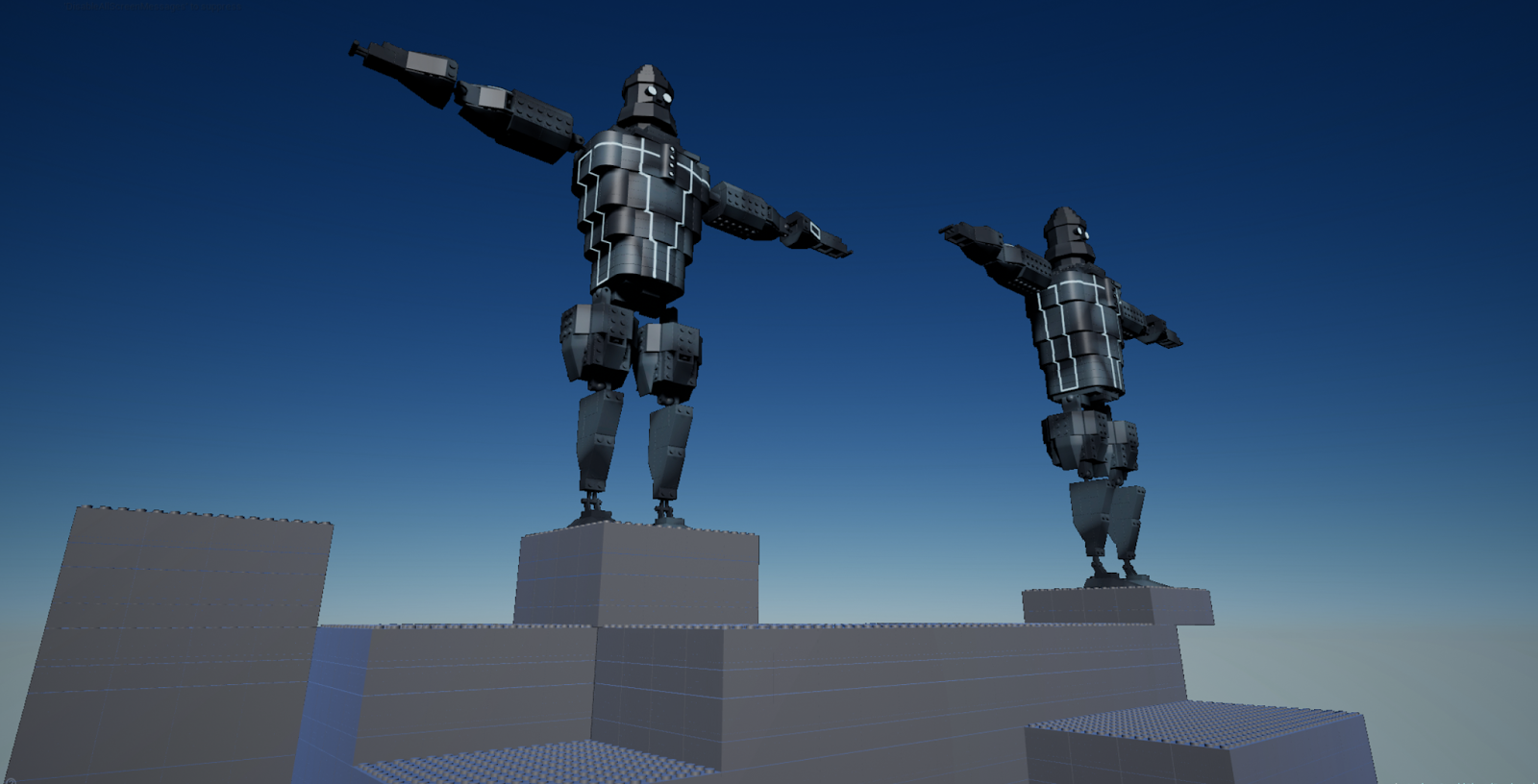
3D Week 04 Lego Project
Because of the hurricane, this project went a bit sideways. In the end we made what we could and moved on. I was assigned to create the giant guardians form the Disney Atlantis movie.
Along the way I had to create and modify already existing Lego Pieces. These are the ones of note.
Sunday, September 24, 2017
3D Class Week 05 Modeling A Prop
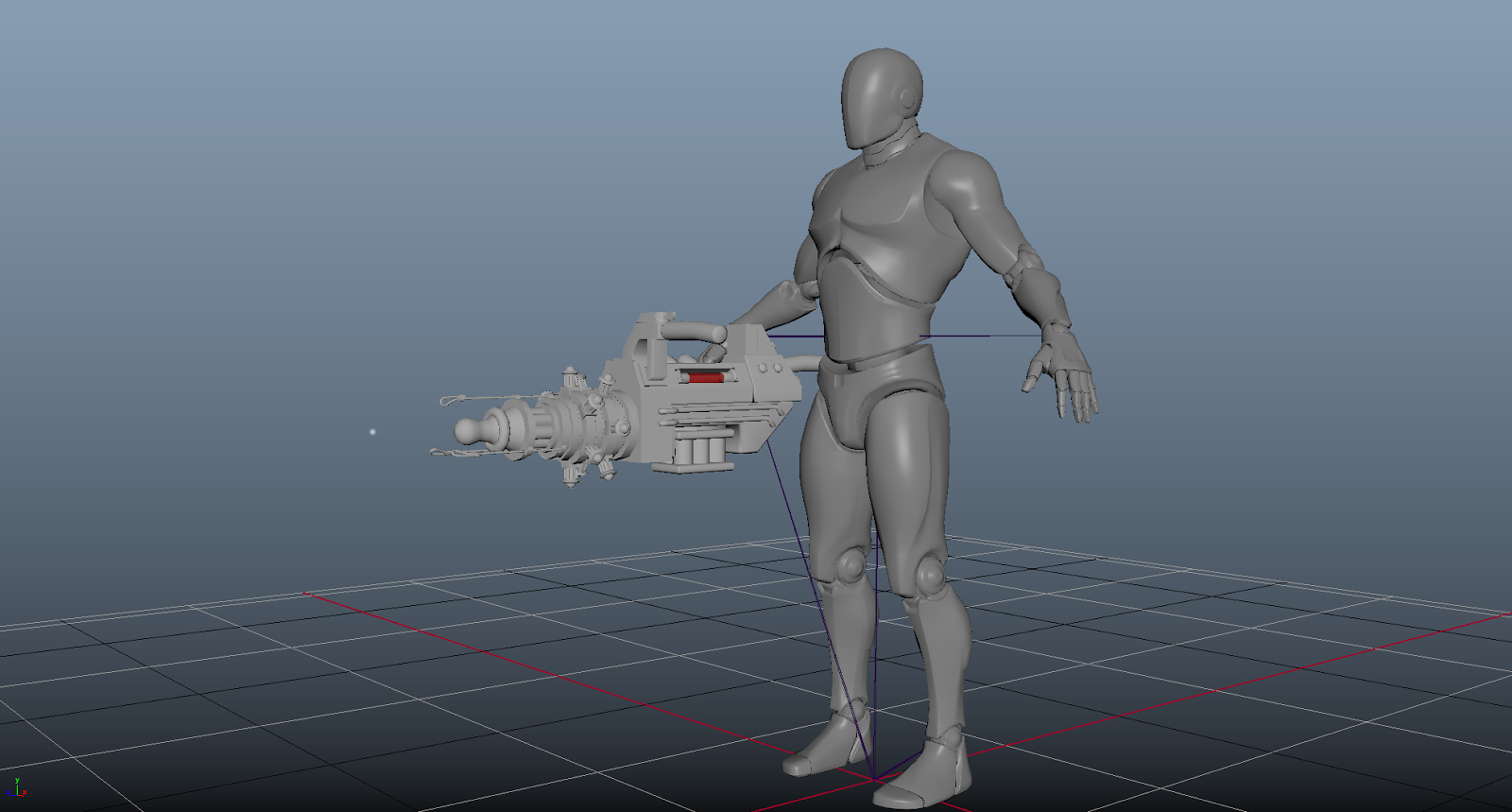
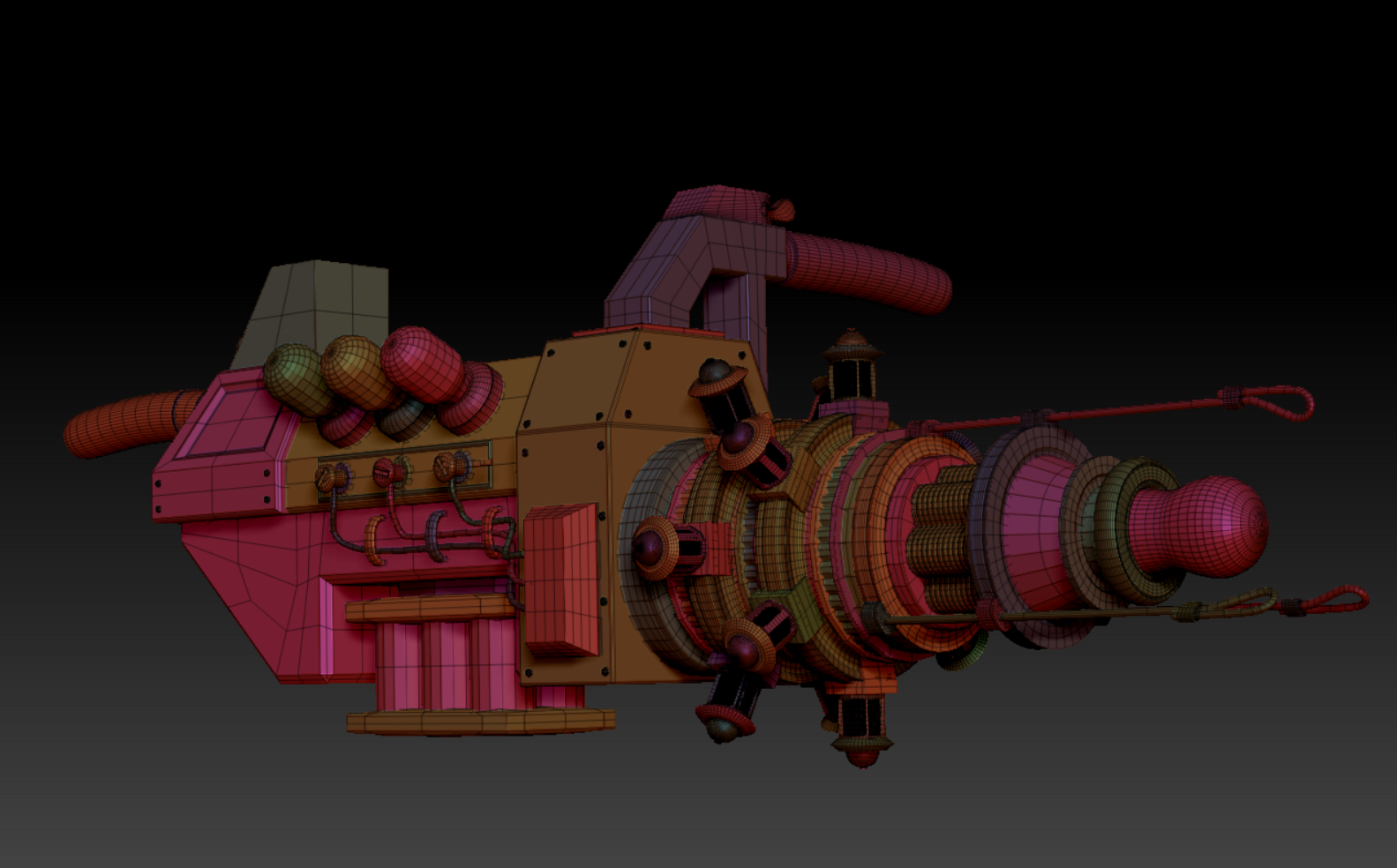
For this assignment, we are to create a "cannon" of some description. I decided to create something a little unconventional. Behold! My Tesla Cannon!
The Tesla Cannon started out as a collection of images of possible themes and layouts. From there, I began to draw simple sketches, brought said sketches into as image plains to model off. I then began that process again by taking a new snapshot of what I had in scene, and sketching from there. This iterative process helped with designing the Cannon as I went along.
Keeping in mind of the next stage of this assignment, I often view the prop in smooth mesh preview. Using the crease tool, I was able to maintain the shapes of the mesh while viewing them in the preview.
My extended goal for this prop is to utilize it in future animation assignments in FIEA.
Saturday, September 2, 2017
3D Week 02 (Minecraft-ish Level)
Just call me icarus, because I stretched too far. For this assignment we were charged to create some kind of mine craftein environment. During the start of this assignment, I decided to create an large environmental scene. After spending over a full day laying out the blocks for the terrain, I decided that the goal was too ambitious and to scope down. Because of the excessive amount of time spent on the first environment was scraped, I had to cut some interesting blueprint features for the final project.
Saturday, August 26, 2017
3D Week 001 Assignment (UE4 Simple Box Level)
Hello!
Here is the blog post for the simple box level 5348C class. I do indeed have a simple cube, but i decided to put in a little more into this assignment than was required. With the words "be creative" in my heart, I chose to create some simple shapes in the likeness of DnD dice.
For the scaling. I actually like the idea of large dice littering the level, but just to show that I understand scaling and such, here is a second picture of the cube scaled down to its actual 19mm size on the right.
I wasn't required to texture the cubes for this assignment, but I ran them through substance painter for the practice. Without going to into detail about this, I tried out several different methods of texturing the dice. First one, I used the smudge tool and masking layers, the second was with different brushes, and finally the third with some repeating alphas. The third came out the best. The reason I only textured four of them was because I made an error in creating the D10. Instead of using the symmetry tool for what its meant for, I simply duplicated it, then negative scaled it into place. I had forgotten this causes the normals of the mesh to be screwed up. It wasn't worth it to me to go back and resolve it for this assignment, I am already going a bit over. Speaking if normals, or rather height map, I used a height map layer and alpha to stamp on the numbers.
For the materials in engine, plugging in the materials were easy enough. Since plugging the textures into the appropriate holes is easy, I went ahead and created another material within UE4.

Here is the final little environment.
Here is the blog post for the simple box level 5348C class. I do indeed have a simple cube, but i decided to put in a little more into this assignment than was required. With the words "be creative" in my heart, I chose to create some simple shapes in the likeness of DnD dice.
For the scaling. I actually like the idea of large dice littering the level, but just to show that I understand scaling and such, here is a second picture of the cube scaled down to its actual 19mm size on the right.
Here are the dice themselves; I decided to not make all the types on dice.
I wasn't required to texture the cubes for this assignment, but I ran them through substance painter for the practice. Without going to into detail about this, I tried out several different methods of texturing the dice. First one, I used the smudge tool and masking layers, the second was with different brushes, and finally the third with some repeating alphas. The third came out the best. The reason I only textured four of them was because I made an error in creating the D10. Instead of using the symmetry tool for what its meant for, I simply duplicated it, then negative scaled it into place. I had forgotten this causes the normals of the mesh to be screwed up. It wasn't worth it to me to go back and resolve it for this assignment, I am already going a bit over. Speaking if normals, or rather height map, I used a height map layer and alpha to stamp on the numbers.
For the materials in engine, plugging in the materials were easy enough. Since plugging the textures into the appropriate holes is easy, I went ahead and created another material within UE4.
Here is the final little environment.
Tuesday, August 22, 2017
Subscribe to:
Posts (Atom)
-
1. Who was the director of the film? What other movies has this director produced? Don Bluth was the director. Other works that I have see...